Title here
Summary here
Resource limits are an essential part of any in production deployed container.
GMT enables and enforces resource limits by:
Compose Specification settings on containers like mem_limit and cpusWhen no resource limits are set GMT will determine how many available CPUs and how much memory there are.
Note that GMT does not look at the host system directly, but asks Docker what it has available
(docker info → NCPU and MemTotal). On a native Linux install these are identical to the host values.
Under Docker Desktop (macOS, Windows) however Docker runs in a VM and only sees the resources assigned to
that VM, so the values can be significantly lower than what the host has.
GMT will always reserve one core to have processing of the measurement and metric providers running smoothly. This means you cannot run GMT on a system with less than 2 cores.
After reserving one core GMT will assign the available cores in full to all other containers. Meaning that CPUs are not dedicated per container, but available to all containers in parallel and scheduling per CPU is done by the native OS scheduler.
If your machine has SMT / Hyper-Threading enabled or you feel you need to reserve more than one core for GMT check out host resource reservations
Per default GMT will not reserve any memory from the host. This is fine for development but can lead to OOM situations in unattended modes like the cluster mode.
If you feel you want to change that check out host resource reservations.
Once a value is set, or the value is left at 0, GMT will take the total memory that Docker reports (docker info → MemTotal) and deduct the configured memory reservation.
Then all containers that have a manual mem_limit set will get their memory assigned.
The rest of the memory is then auto-assigned to the rest of the containers in the usage_scenario.yml evenly.
If during the process the memory gets exhausted because too much memory was requested manually through mem_limit GMT will error.
You can see the auto applied values in the Containers Tab in the Dashboard
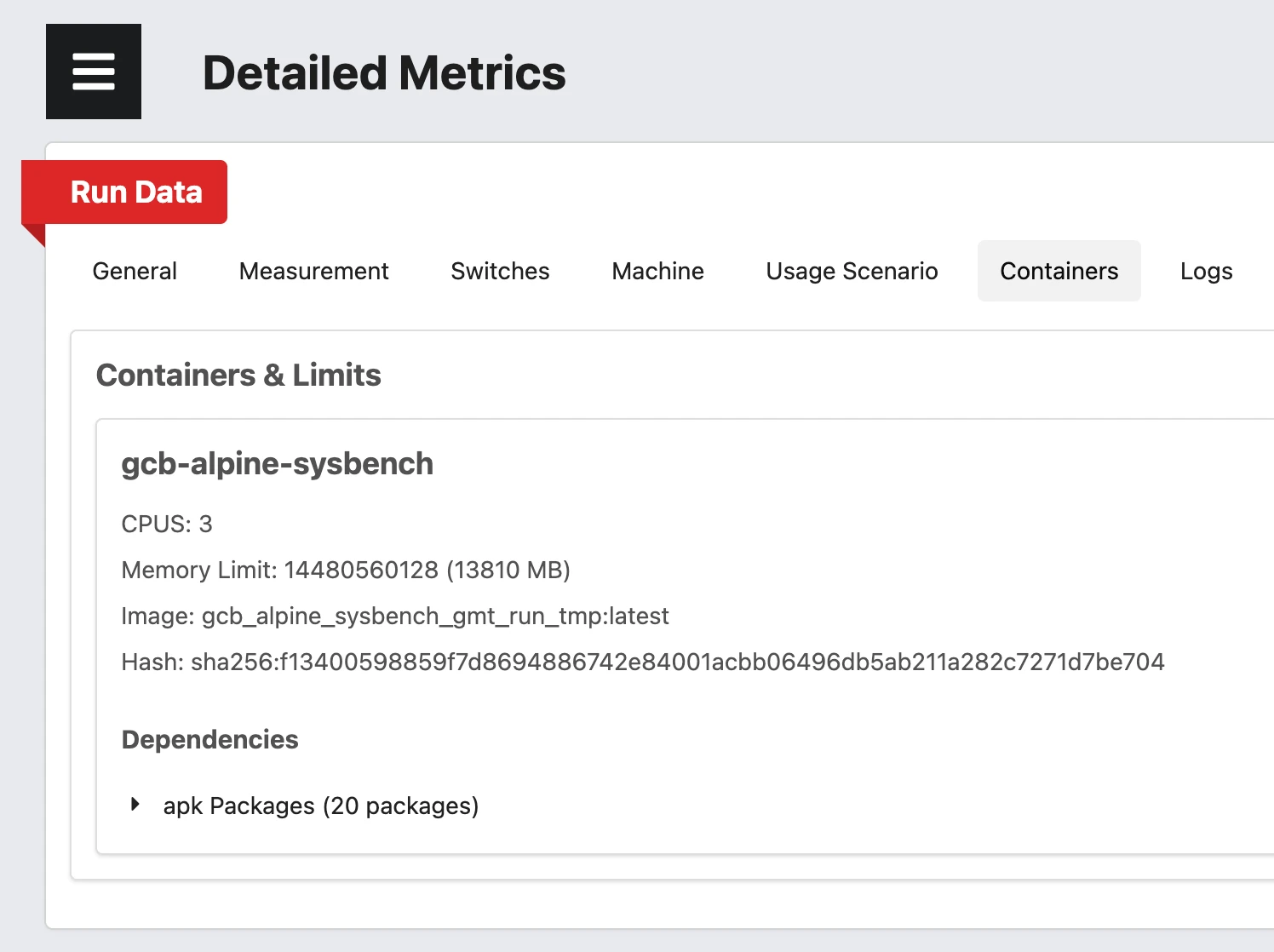
Once the values are determined GMT enforces them on every container it starts through these
docker run arguments:
--cpuset-cpus pins the containers to the cores 1 to N, whereas N is the number of assignable cores.0 is therefore never available to your containers. It is the core that is reserved for GMT itself.--cpus limits the CPU time to the value of the cpus key of the service.--memory limits the memory to the value of the mem_limit key of the service.--memory-swap is set to the same value as --memory, which effectively disables swap for the container.--oom-score-adj=1000 makes the containers the first candidates for the OOM killer, so that the host system and the metric providers survive an out-of-memory situation.--env=GMT_CONTAINER_MEMORY_LIMIT=... exposes the applied memory limit inside the container, so your application can size itself accordingly (e.g. a JVM heap or a DB buffer pool).Since swap is disabled and the OOM score is raised, a container that requests more memory than its limit
is killed rather than slowed down. GMT surfaces this as an error with exit code 137 and points you to the
GMT_CONTAINER_MEMORY_LIMIT variable.
If you need to disable all of the above, for instance while developing locally, run with
--dev-no-resource-limits. Then no --cpuset-cpus, --cpus, --memory, --memory-swap,
--oom-score-adj and no GMT_CONTAINER_MEMORY_LIMIT are set at all and no auto-assignment happens.
Beware that this makes your measurements uncomparable to runs that had the limits applied.
See runner.py switches → for details.